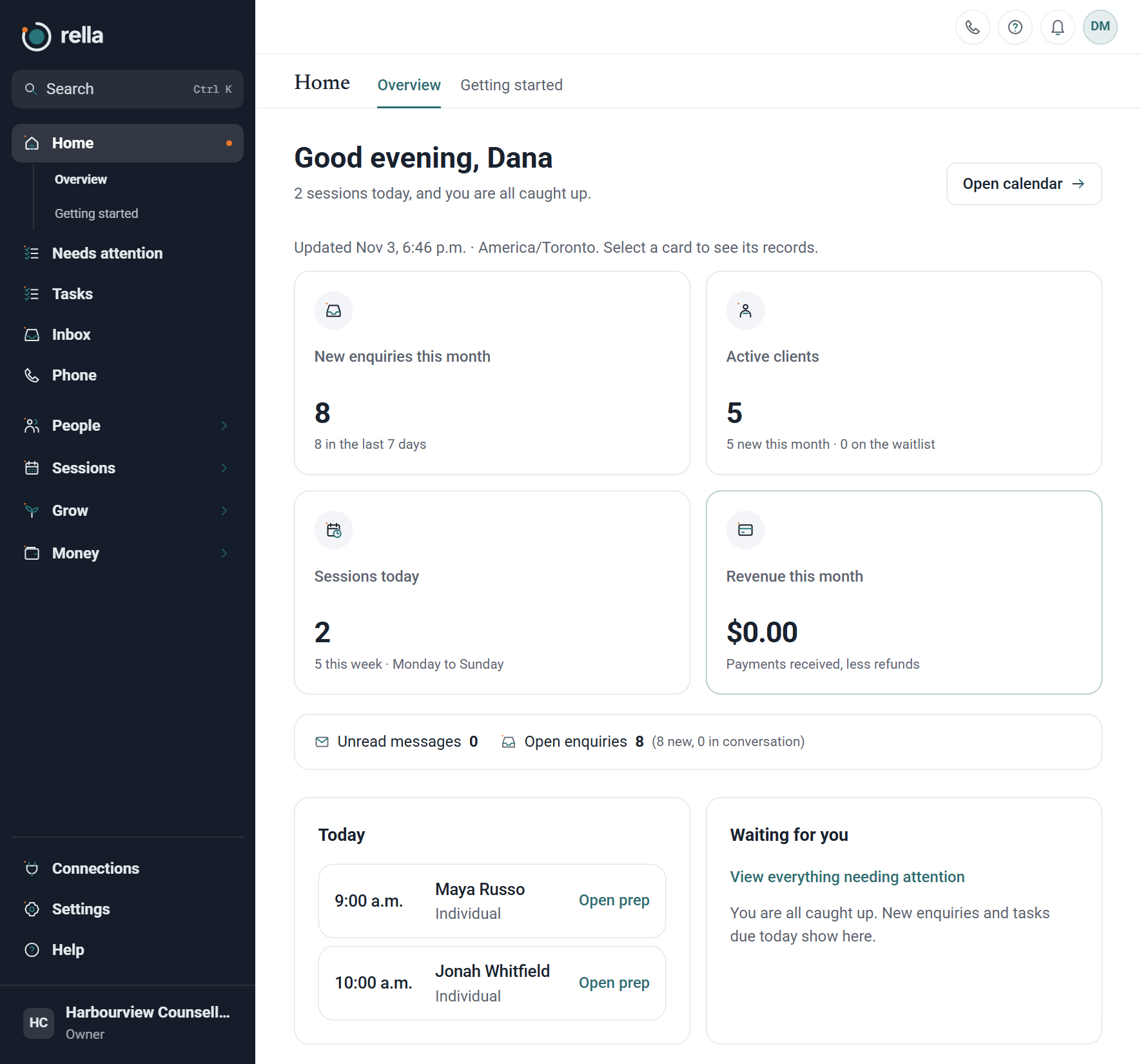
If enquiries sit in three inboxes, intake forms go out late and invoices get done in a batch on Sunday, client management software can take a lot of that off your plate. This guide covers what it should do for a therapy practice, what to check before you sign up, and the questions to ask any vendor.
What "client management software" means for a therapy practice
The phrase covers a few different kinds of tools, and it helps to know which one you need.
- A CRM tracks people before they become clients: enquiries, follow-ups and where each person came from.
- Practice management software handles booking, reminders, forms, invoices and payments once someone is a client.
- An electronic health record (EHR) holds clinical documentation such as assessments, diagnoses and treatment records.
Many solo therapists and small group practices need the first two working together, and either keep clinical records in a separate system or keep them light. If you work with insurers that need specific clinical documentation, check that side carefully. If your time goes on the admin around sessions, a tool that joins up enquiries, booking and follow-up will save you more.
The features to look for
1. One place for every enquiry
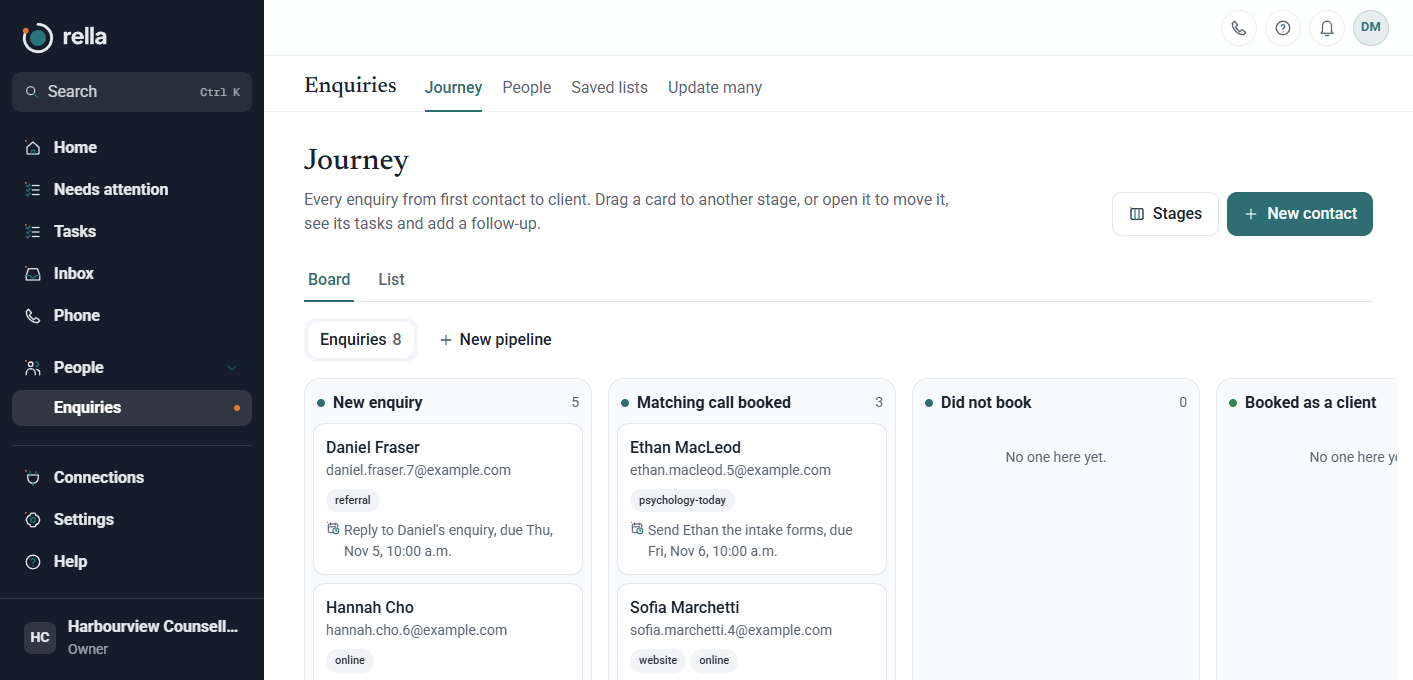
New clients reach you through your website, directories like Psychology Today, referrals and phone calls. If each one lands somewhere different, people fall through the cracks. Look for a board or list that shows every enquiry with its source and its stage: new, contacted, consultation booked, became a client, or did not book. Being able to see who has gone quiet is what stops a good enquiry from going cold.
2. Online booking that respects your schedule
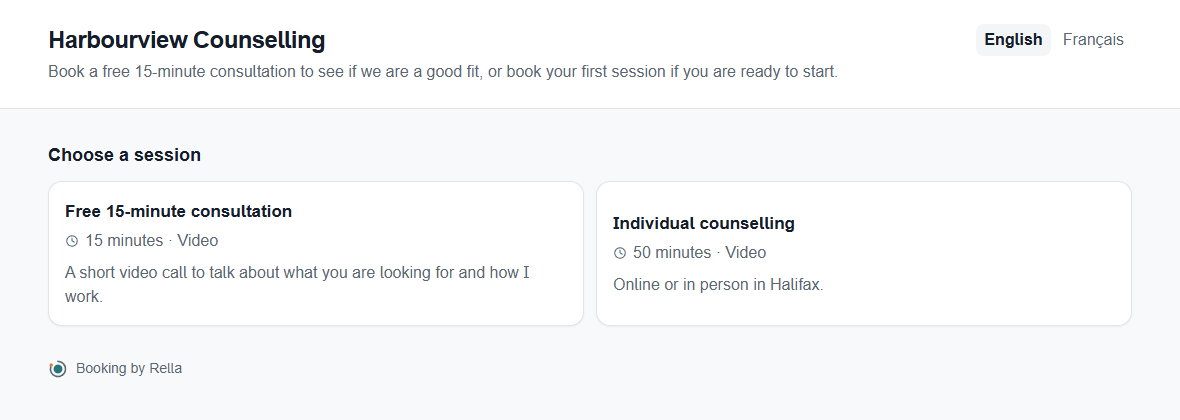
Clients should be able to book a free consultation or a first session without email back and forth. Check that you can set your weekly hours, minimum notice, how far ahead people can book and breaks between sessions. A booking page in your own colours and logo also looks more trustworthy than a generic one.
3. Intake and consent forms sent before the first session
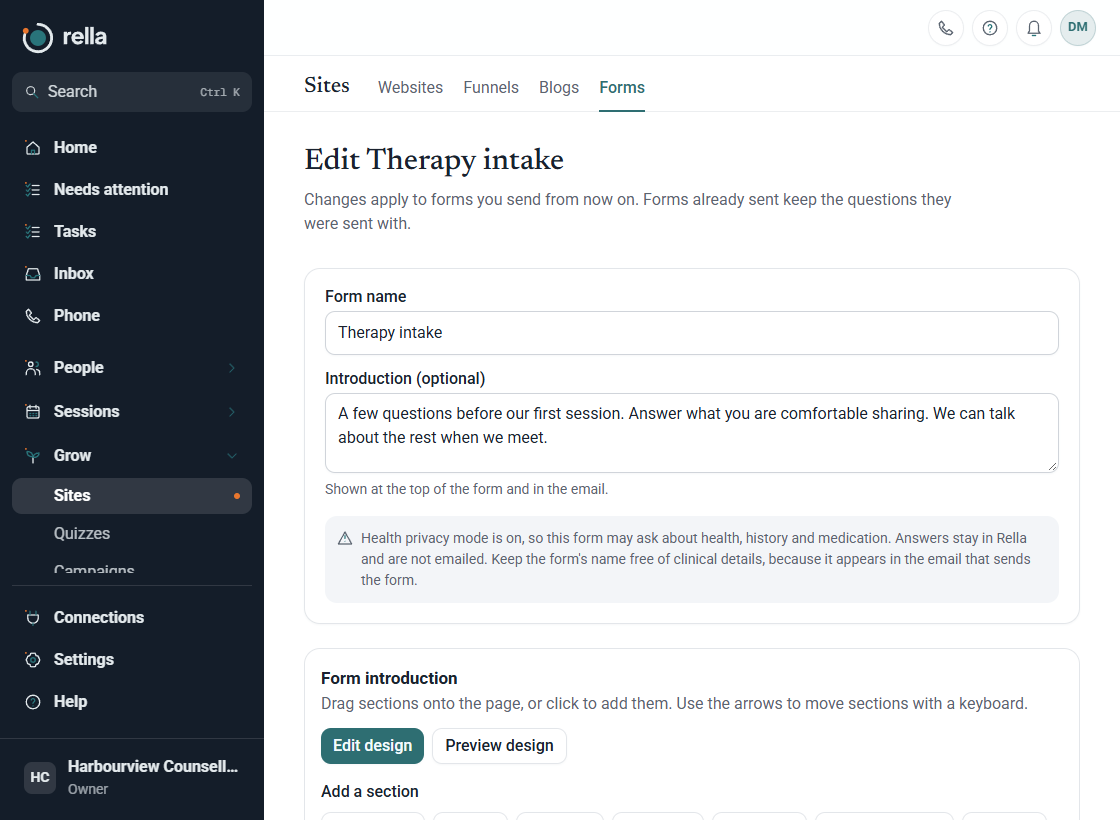
Intake and informed consent should be finished before you meet, not on a clipboard in the first ten minutes. Your software should send the forms automatically after booking and put the answers on the client's record. Make sure the vendor lets you collect health information on forms, and under what terms, because some tools are not set up for it.
4. Session notes you can trust
If you write notes in the system, look for notes that can be signed and then locked, with corrections added as dated additions rather than edits. That keeps a clear record of what was written and when, which protects you if a note is ever questioned.
5. Reminders and an easy way to reschedule
Automatic reminders before each session cut no-shows. A link in the reminder that lets the client move or cancel the session matters as much as the reminder itself, because a client who can reschedule in two clicks usually will, instead of not turning up.
6. Invoices and payments
You should be able to send an invoice from the client's record, take payment when someone books if you want to, and sell packages of sessions. If you offer sliding-scale fees, check that you can adjust prices per client.
7. A client portal without passwords
Clients forget passwords, and a password reset email the night before a session is a support ticket you don't want. A private link per client that opens their sessions, forms and invoices is easier for everyone.
8. Calls and texts in the same place
Plenty of people still phone a therapist first. A business number with voicemail, a simple phone menu and two-way texting stored next to each client's history saves you checking your personal phone between sessions.
Privacy: the part you can't skip
Therapy records hold very private information, and you stay responsible for them even when a software company stores them for you.
- In Canada, health privacy laws such as Ontario's Personal Health Information Protection Act (PHIPA), and similar laws in other provinces, apply to how you collect, use and share personal health information, including through your service providers.
- In the United States, HIPAA requires a covered health care provider to have a Business Associate Agreement (BAA) with any vendor that creates, receives, keeps or sends protected health information on its behalf.
Before you put any client health information into a tool, ask where the data is stored, which other companies process it, whether you can sign an agreement covering health information, and whether two-factor sign-in is required. We cover these questions in more detail in therapy practice software and privacy.
Questions to ask before you sign up
- Can I try it with my real workflow for at least a few weeks?
- Where is my data stored, and which other services touch it (email, texting, payments)?
- What agreement do I sign for health information in my country?
- Can I export everything if I leave, and in what format?
- Can I import my current client list?
- What does it cost when I add a colleague, a phone number or text messages?
- Who do I talk to when something breaks, and how fast do they reply?
Solo practice or group practice?
A solo therapist mostly needs speed: one login, a booking page, forms that go out by themselves and invoices that take a minute. A group practice also needs separate calendars per therapist, control over who sees which clients, and a way to route new enquiries to the right person. Check how pricing changes as you add people, because some tools charge per clinician and others per practice.
How Rella fits
Rella is client management software for therapists, counsellors and small practices in Canada and the USA. It covers enquiries, online booking, intake and consent forms, signed session notes, reminders with a move or cancel link, invoices, packages, a password-free client page, and calls and texts. Health privacy mode is available now for Canadian practices, with the server and database in Montréal, Canada.
You can see what Rella includes for therapists or try it free for a month with no card.